CLAUDE CODE AND CODEX · BETA
Describe the task — AI agents do it with your files
Claude Code and Codex run on your own server and take from your computer only what you allow. In approval mode you see every change before it is applied.
First month included · then $9/month · your server, your files
YOU WRITE
Find out why sign-in fails for some users and fix it.
shop-backend
AGENT ON THE SERVER
needs review
✓
Reproduced the bug in tests
✓
Found the timeout in auth/session.ts
✓
Fixed it and ran 42 tests
auth/session.ts +6 −2 · tests 42/42
1Apply
2View
3Reject
Example run
Your own server
agents run on a VPS you control
One workspace
from any of your computers
Files from your computer
only from folders you allow
Runs 24/7
you can close the laptop
WHY IQKIT
Claude Code and Codex on one server — from any of your computers
The agents live on your VPS. Your computers connect to it over SSH, so the work continues whichever machine you are on.
Agents on each computer
→
Every device has its own install, its own session and its own copy of the project. A task started on one machine does not continue on another.
Laptop
v1.4
Work PC
v1.2
Home
v1.3
Anthropic
OpenAI separate sessions
With IQKit
→
The agents work on the server and your computers connect to it. One environment, one history of tasks, available from every device.
Laptop
Work PC
Home
YOUR SERVER
Ubuntu 24.04
agents 24/7
→
Anthropic
OpenAI one workspace
Who it is for
Tasks you can hand over, by role.
Fewer contractors for small jobs
FOR EXAMPLE, YOU CAN ASK IT TO
❯Compare contracts with the template and list the differences
❯Put together the weekly sales report
❯Update prices on the website from a spreadsheet
❯Sort a folder of scans by counterparty
WHAT YOU GET
You set tasks in plain words, no technical terms
You choose which documents the agent gets
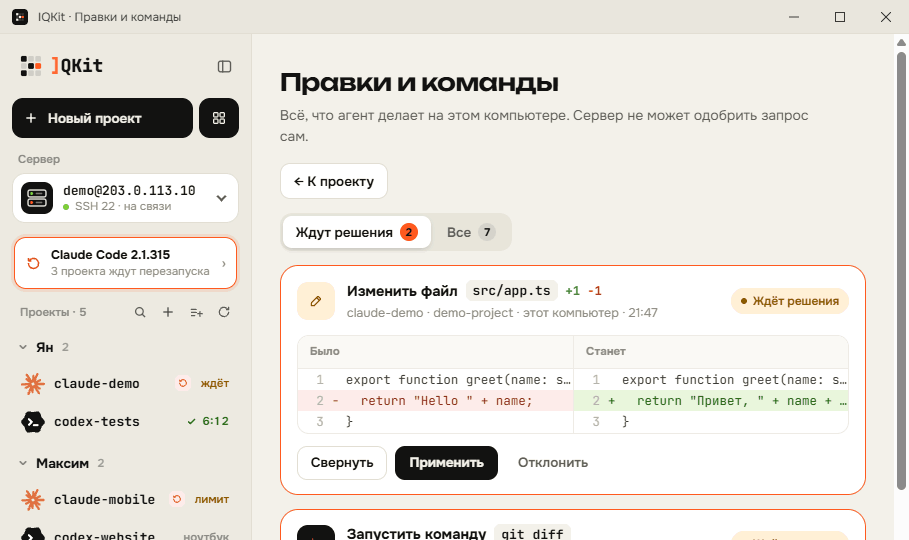
You see every change before it is applied
IQKIT DESKTOP
Real screens
Beta: updates arrive inside the app.
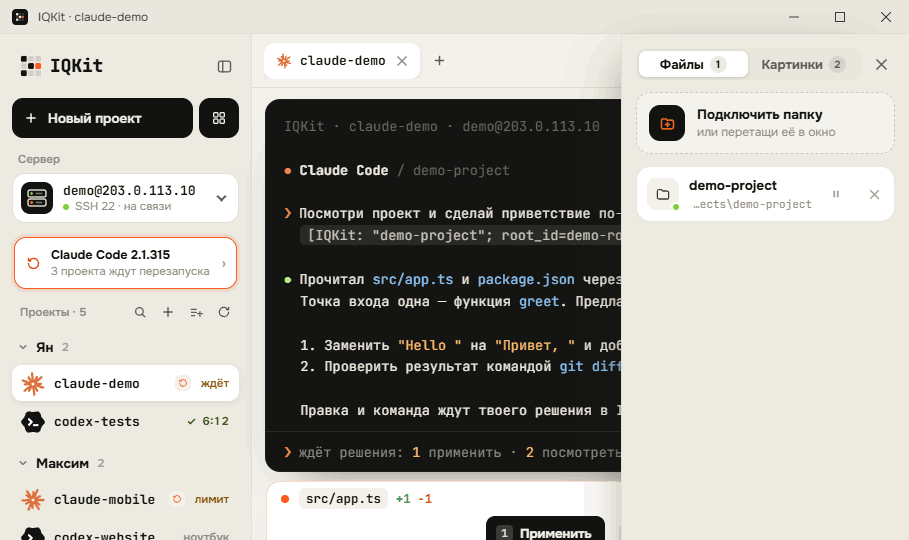
Folders the agent can see
What will change, before it is applied
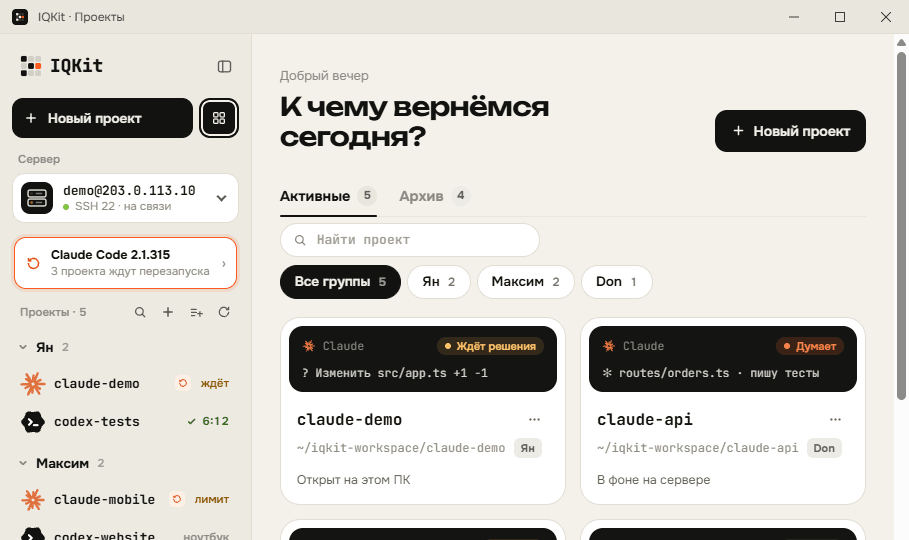
All projects and their status
Questions
Do I need to know how to code?
No. You describe tasks in plain words, and the server is connected from the app, without commands.
Where do the agents run?
On your own Linux VPS. IQKit installs them there from the desktop app; nothing runs on our servers.
What can the agent see on my computer?
For file work: the folders and images you connect. Commands on your PC depend on the permissions you choose.
How do I cancel?
Select the licence in your account and confirm. Access stays until the end of the paid period.
Do I need my own AI subscription?
Yes. IQKit does not resell AI access. You sign in with your own Claude Pro/Max or ChatGPT Plus/Pro subscription, or use your own API key, under the provider's terms.
How much does it cost?
$29 covers setup and the first month, then $9/month. The server and the AI subscription are paid separately, directly to the host and to Anthropic or OpenAI.
What server do I need?
A VPS on Ubuntu 22.04, 24.04 or 26.04 with root SSH access and at least 20 GB of disk. 1 vCPU and 2 GB of memory is enough to start; 2 vCPU and 4 GB is comfortable.
What does the licence include?
IQKit Desktop for Windows and macOS, installation on the server from the app, and a licence for 2 servers. Connect as many computers as you like.